
It is pretty easy to scan a series of pages into a single PDF file if you’ve got a document feeder. It isn’t so easy to deal with flatbed scanners and multiple pages. Here’s how it’s done
The program below is a VBscript file so save it with a “.vbs” extension and then double-click it to run it.
It creates a temporary directory, scans pages into the directory until you tell it you’re finished, then it puts all the pages together into a PDF file. It allows you to work with flatbed scanners and multiple pages.
When you run it, it looks like this:
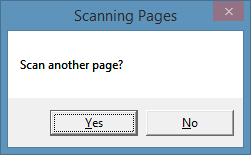
You end up with a file called pages.pdf in the current directory. This should be moved or renamed before you scan your next set of multiple pages (or it’ll get overwritten).
The program assumes you have a modern, 64 bit computer or laptop and that CmdTwain has been installed in the “C:\Program Files (x86)\GssEziSoft\CmdTwain” directory. If that’s not the case you’ll need to adjust that line below.
Dim SH, FSO
Set SH  = WScript.CreateObject("WScript.Shell")
Set FSO = CreateObject("Scripting.FileSystemObject")

dbg    = false   ' debug: true or false
prog   = "C:\Program Files (x86)\GssEziSoft\CmdTwain"

main

sub main ()
    dim tempDir, outFn, tab, lf, msg, i, ok

    tab    = chr(9)
    lf     = chr(10)
    tempDir= "temp1246"
    outFn  = "pages.pdf"

    if FSO.FolderExists(tempDir) then
        msg = "WARNING." & lf
        msg = msg & "All files in " & tempDir & " will be deleted." & lf & lf
        msg = msg & "Proceed anyway?"
        ok= MsgBox(msg,vbYesNo,"Temporary Directory Exists")
        if ok = vbNo then exit sub
        FSO.DeleteFolder tempDir
    end if
    FSO.CreateFolder(tempDir)

    for i=1 to 500
        ScanPage i, tempDir
        ok= MsgBox("Scan another page?",vbYesNo,"Scanning Pages")
        if ok = vbNo then exit for
    next
    ConvertToPdf tempDir, outFn

    If not dbg then FSO.DeleteFolder tempDir '  clean up afterwards
end sub

sub ScanPage(pNum,pDir)
    dim fn, cmd

    fn = "page" & mid("" & (1000+pNum),2,3) & ".jpg"
    cmd= """" & prog & "\cmdtwain.exe"""
    cmd= cmd & " -c ""A4 300 COLOR"" 75 """ & pDir & "\" & fn & """"
    SH.Run cmd,1,true ' normal window type, wait

end sub

sub ConvertToPdf(pDir,pOutFn)
    dim cmd

    cmd= """" & prog & "\jpg2pdf.exe"""
    cmd= cmd & " -c ""A4"" " & pDir & "\page*.jpg " & pOutFn
    SH.Run cmd,1,true ' normal window type, wait

end sub
I hope you find it helpful.
